

Overview#
Paygent is a specialized, usage-based billing platform designed exclusively for AI voice agents.
If you are building voice agents for clients or offering them as a SaaS product, calculating margins across different AI providers (LLMs, TTS, STT, and Speech-to-Speech models) can be incredibly complex. Paygent solves this by serving as your centralized billing engine.
How you charge your customers#
Instead of building custom tracking infrastructure, you simply connect your Menace Voice workflow to Paygent. As your agents handle calls, Menace Voice passively calculates the exact multimodal token usage and audio duration.
This data is securely exported to Paygent after every call, where your custom pricing margins (rate cards) are applied. This seamless flow allows you to automatically invoice your end-users for the exact infrastructure they consume — turning your AI agents into a scalable, profitable business with zero engineering overhead.
Prerequisites#
- A Paygent account
- A Menace Voice agent workflow
Setup#
1. Create an agent and configure pricing in Paygent#
Before connecting Menace Voice, you must register your agent in Paygent and define how you want to charge your customers.
Log in to Paygent and click Create Agent. You will be prompted to define your agent's core details, including the Agent Name and Agent ID:
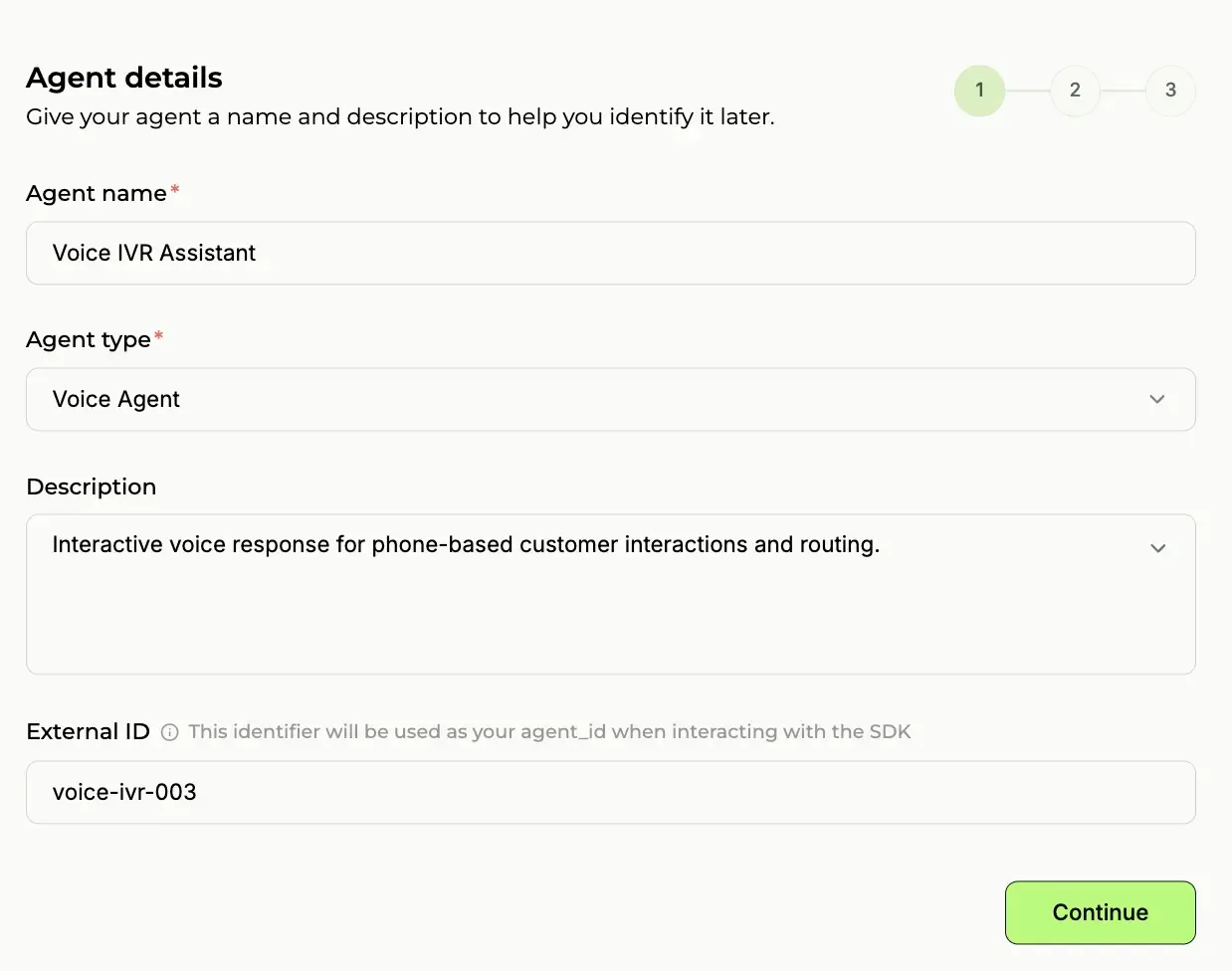
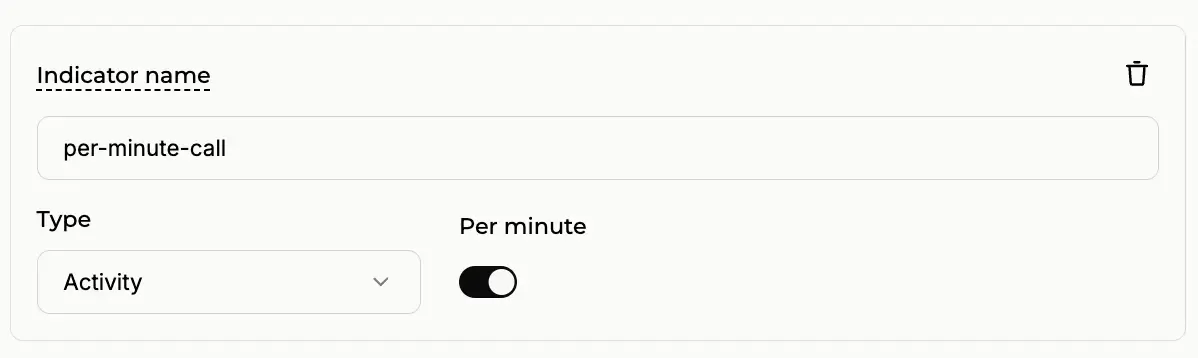
Next, set the Indicator Name. This is the billing event identifier you will pass from Menace Voice (e.g. per-minute-call) to tell Paygent which rate to apply for this agent's calls:
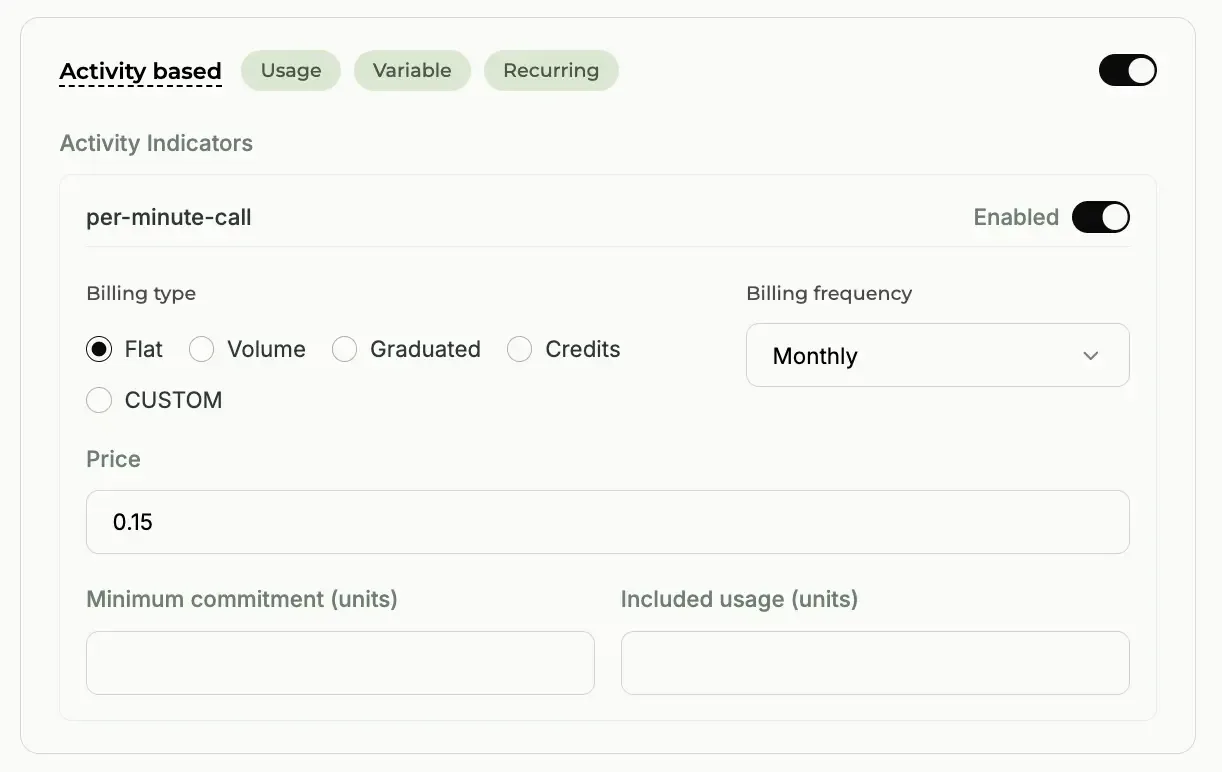
Finally, you will configure your Pricing Strategy. Paygent allows you to set custom markup rates (rate cards) for every modality. You can define exact margins for Speech-to-Text (STT) seconds, LLM tokens, Text-to-Speech (TTS) characters, and total call minutes:
Once your pricing is configured, confirm your setup. You will use the Agent ID and Indicator from this process to connect your Menace Voice workflow.
2. Gather your Paygent credentials#
You'll need three core values from your Paygent dashboard to link your Menace Agent:
| Credential | Where to find it / Description |
|---|---|
| Paygent API Key | Your workspace API key used to authenticate requests (pg_live_...) |
| Agent ID | The unique identifier configured for your agent in Step 1 |
| Customer ID | Your Paygent organisation or customer ID |
3. Add the Paygent node to your workflow#
In your Menace Voice workflow editor, click Add node and scroll to the Integrations section. Select Paygent. The node will appear on your canvas with a Not configured badge.
4. Configure the node#
Click on the Paygent node and fill in the following fields:
- Paygent API Key — Your
pg_live_...secret key - Agent ID — The unique agent identifier from Paygent
- Customer ID — Your Paygent organisation ID
- Indicator — The billing event name (defaults to
per-minute-call) - Enabled — Toggle on to activate the export
Click Save, then Publish your workflow.
5. Verify the connection#
Make a test call through your agent. Once the call completes, check your Paygent dashboard. The billing event and detailed multimodal usage breakdown should appear under your configured Agent ID within a few moments, with your configured pricing margins automatically applied.
Disabling the integration#
To temporarily stop exporting usage data to Paygent, open the Paygent node configuration and toggle Enabled off. Your credentials are preserved — toggle it back on anytime to resume tracking.
Troubleshooting#
| Issue | Solution |
|---|---|
| Usage data not appearing in Paygent | Verify all credentials are correct with no extra whitespace |
| Node shows "Not configured" | Open the node and fill in API Key, Agent ID, Customer ID, and Indicator |
| Workflow not sending data | Make sure the workflow is published, not just saved as a draft |
| Missing realtime STS tokens | For OpenAI Realtime or Google Live models, verify the pipeline is running in realtime mode (is_realtime=True) |
Learn more#
- Paygent — Usage-based billing platform for AI agents